
Context
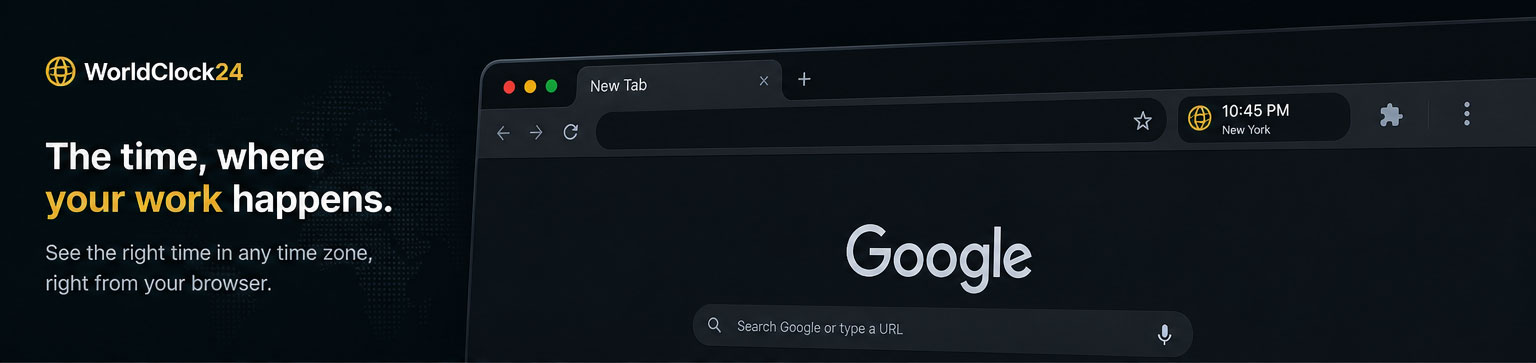
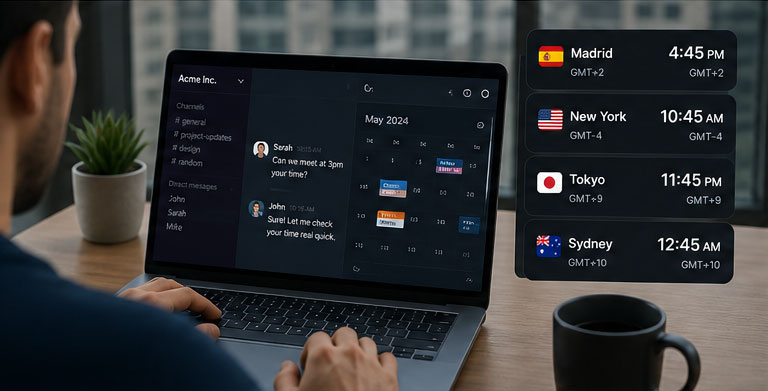
Working remotely with clients across different time zones introduces a constant friction: knowing the exact local time of the other person when making decisions, scheduling meetings, or replying.
Common solutions — system clocks, search queries, or external apps — force context switching.
WorldClock24 was built to eliminate that friction: access the correct time without leaving your workflow.
Problem
- Checking time zones requires switching tools or context.
- Time information is not persistently visible.
- Risk of coordination errors across time zones.
- Existing solutions are not integrated into the daily workflow.
Objectives
- Integrate time zone visibility directly into the browser.
- Reduce friction when coordinating with international clients.
- Provide constant visibility without interrupting workflow.
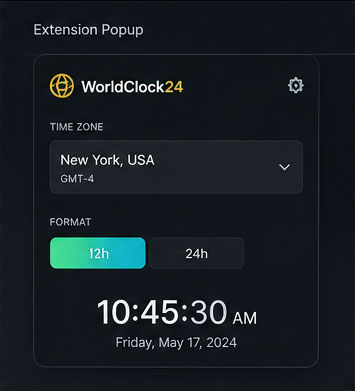
- Allow flexible configuration (time zone, 12h / 24h format).
- Build a lightweight, fast, always-accessible tool.
Process
Approach definition
The project starts from a real need, not an abstract idea.
The key decision was:
Do not build another app.
Integrate the solution where work actually happens: the browser.
Interaction design
Two usage modes were defined:
- Browser toolbar icon → quick access
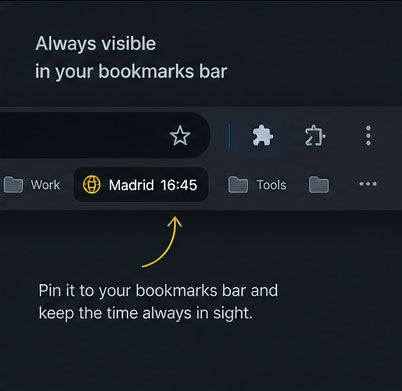
- Bookmarks bar → constant visibility without interaction
This dual approach adapts to different levels of need: quick lookup vs continuous awareness.
Development
The extension was built using the Chrome Extension API, prioritizing simplicity and performance.
Core features:
- Time zone selection
- Real-time updates
- Configurable format (12h / 24h)
- Direct integration into browser UI
Technical decisions:
- Minimize resource usage
- Avoid unnecessary dependencies
- Maintain a simple, scalable architecture
Product system
WorldClock24 was designed as a utility tool:
- No distractions
- No unnecessary complexity
- No learning curve
The value is not in features, but in solving a specific problem instantly.
Solution
Delivered:
- Functional extension published in Chrome Web Store
- Direct browser integration
- Time zone and format configuration
- Product landing page
- Optimized continuous-use experience
Chrome Web Store: https://chromewebstore.google.com/detail/worldclock24/beoeadgmnmfpjgfpklljnaplagcopjon
Landing: https://worldclock24.johnatanmoran.com/
Results
- Direct solution to a real remote work problem
- Reduced coordination errors
- Improved efficiency in client communication
- Published and usable product
Reflection
Key learnings
- Useful tools are born from real friction
- Workflow integration is more valuable than feature count
- Simplicity is a decision, not a limitation
Professional reflection
WorldClock24 reinforces a product-oriented mindset:
Identify a specific friction and solve it with minimal complexity.
Not about building more — about building better.
Future use / roadmap
- Multi-timezone display
- Time-based notifications
- Calendar integration
- Productivity tool sync
- Advanced UI customization